CRM and Lead Management Features

more  time to work on closing leadsThere is no other sales lead management software that has the simplicity and power of AIMcrm. The CRM software is a web based customer relationship management software with many features. The CRM software allows you or your sales team more time to work on closing leads instead of wasting time on all the mundane tasks that you normally have to do with-out a CRM solution or when using our competitors CRM. AIMcrm has all the tools you need to make life easier.

Lead Capture

Have all of your leads from different sources delivered into one CRM Software System. It is simple to do and our support team is always available to guide you and/or import the leads for you.

Deliver leads to your system From:

Web Form
Set up dynamically generated forms for your website that posts lead data to your CRM system.
CSV Import
If you have leads in a spreadsheet, they can be easily imported. CRM Lead Capture
HTTP Post
Set up a post from your current web forms, or from your lead vendors.
Email Parsing
AIMcrm can capture the lead data from email.
Data Export
Export leads in as a comma separated values (CSV) file, tab separated values (TSV) file, or a Microsoft Excel document.

Set New Lead to a Specific Status/Sub-Status (Disposition).

AIMcrm lead management software makes setting and viewing the lead status elementary. You can set the status to the built in status settings and/or to a custom sub-status that you create. You can set any lead to a status such as:

View Large Image Of Status

  • Assessing Needs
  • Commitment to Buy
  • Initial Communication
  • Negotiation
  • Presentation
  • Down Payment Made
  • Full Payment Made
  • Partial Payment Made
  • Chose Competitor
  • Lost Interest
  • Other – See Notes
  • Bad Contact Information
  • Too Expensive

Lead Attention Meter

View Large Image Of Lead Attention MeterAll leads have a Lead Attention Meter™, which is a visual representation of how long it has been since someone last had any activity with a lead. You can specify the amounts of time that a lead will change from green to yellow, yellow to red, and red to neglected.

Duplicate Lead Removal

The advanced lead management system which handles your incoming leads will automatically recognize whether a feedback form has been submitted more than once by the same visitor. If all the fields you have specified is an exact match, then the system will handle the duplicates in one of three ways:

  • Delete the New Duplicate Lead
  • Merge the New Data With the Old Lead
  • Disposition the Lead to a Non-Qualified Status

Alerts & Reminders

sb-alert-leadBe alerted instantly if a new lead entering your CRM, or when tasks come up due. Create custom email notifications with AIMcrm Sales Force Automation. Notify your users of lead neglect, leads being transferred, or the like. You can also create custom tips and notifications of news within your organization.

Custom Tasks

Don’t forget all the little things that need to occur during the sales process by creating Tasks with reminders. Create tasks to remind of follow ups, or any steps within your sales process.

  • Create and assign a task
  • Assign the task to a specific user
  • Assign the task to the lead’s assigned user
  • Assign the task to next in queue within the lead’s assigned group
  • Assign the task to next in queue within a specific group
  • Assign the task to next in queue within your organization
View Large Image
Create Tasks Task List Calender

Customizable Contact List

Choose which information you do or do not wish to view in your main contact view screen. The Lead List is filterable in so many different ways. Purposefully developed and designed with usability and customizability in mind, the ways in which the lead list can be filtered (and cross filtered) are nearly limitless.

View Large  Customize Leads List
Customized List Analytics Fields Teams

Searchable Database

Search for any piece of information within your CRM system. Do a general search within all the information for any contact, or search specific fields for information.

Web Form Management Made Simple

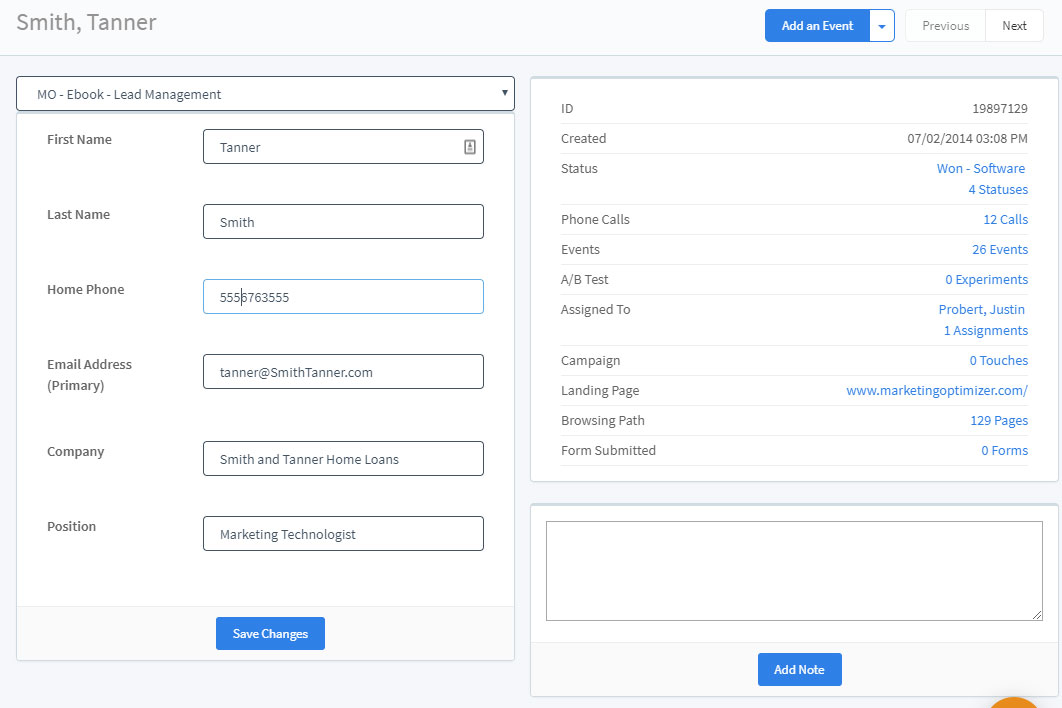
You can make forms for your websites that submit information directly into your CRM, or create internal forms for the use of your team. You can capture and store as much information in as many fields as you would like. Completely customizable.

View Large  Customize Leads List
Builder Layout Fields Example

Inbound Call Tracking

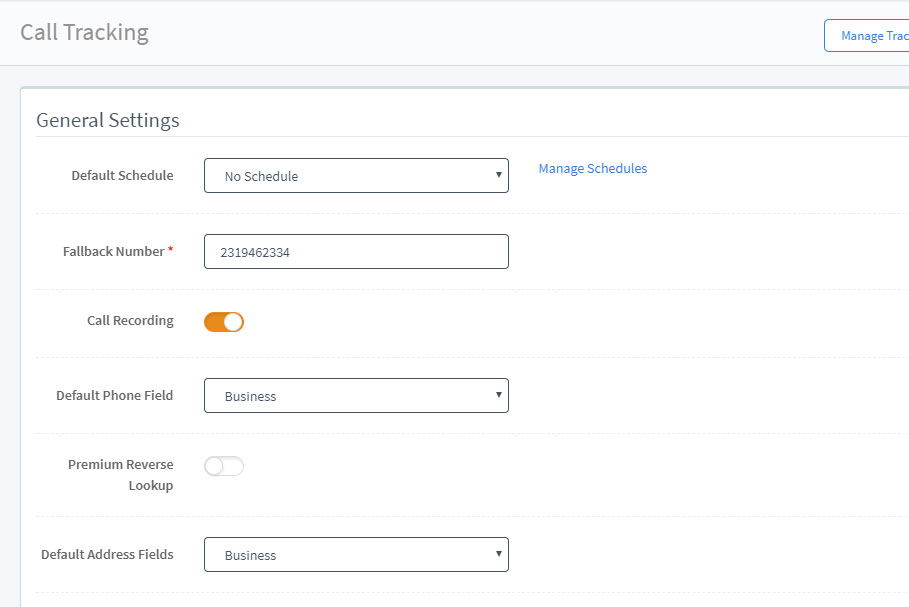
A visitor to website will often chose to call your phone number rather than complete the web form. With AIMcrm you can use our dynamic telephone tracking system to identify what campaigns are producing calls. What the tracking system does is take unique phone numbers that are associated with a particular campaign and displays the phone number on your website that is associated with that campaign.

Advertising and Campaign Performance

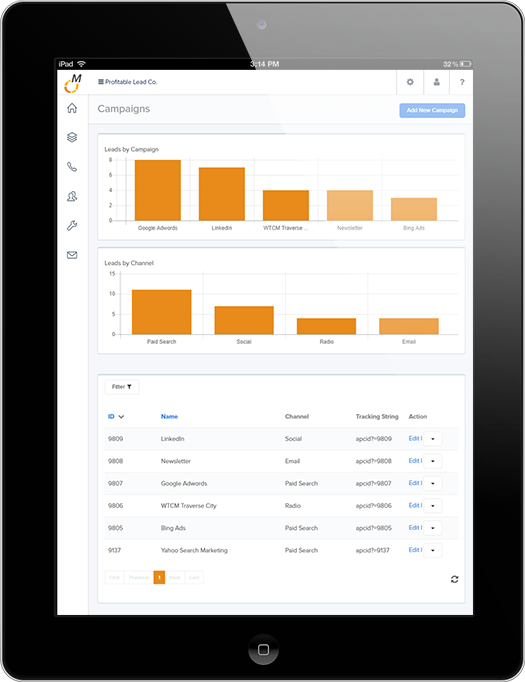
View Large Image Of Campaign Tracking

Easy to set up and use internet marketing campaign tracking. Track Google AdWords, Bing, and Yahoo Pay Per Click (paid search results). This is imperative to getting better return on investments of internet marketing. You will be able to simply see which campaigns are producing leads and which campaigns are producing sales and/or course of action desired. All you have to do is simply create a campaign then add a tracking string to the end of your ads URL. The tracking string and URL will look similar to this: www.yourwebsite.com/?apcid=44

Dashboard

View Large Image Of Dashboard

As a jumping-off point for your activity in the rest of the AIMcrm lead management system, the dashboard provides a snapshot of the CRM software activity since your last login. Get a “big picture” of which items must be tackled first by selecting from a list of 18 modules. Simultaneously view 6 modules of data.

Lead Opportunity Value

Get an actual dollar amount opportunity for the lead based on the products or service they’ve purchased.

Closed Loop Tracking

Track detailed information from the beginning to the end of your sales cycle.

Visitor Tracking & Web Analytics

View Large Image Of Visitor Tracking String

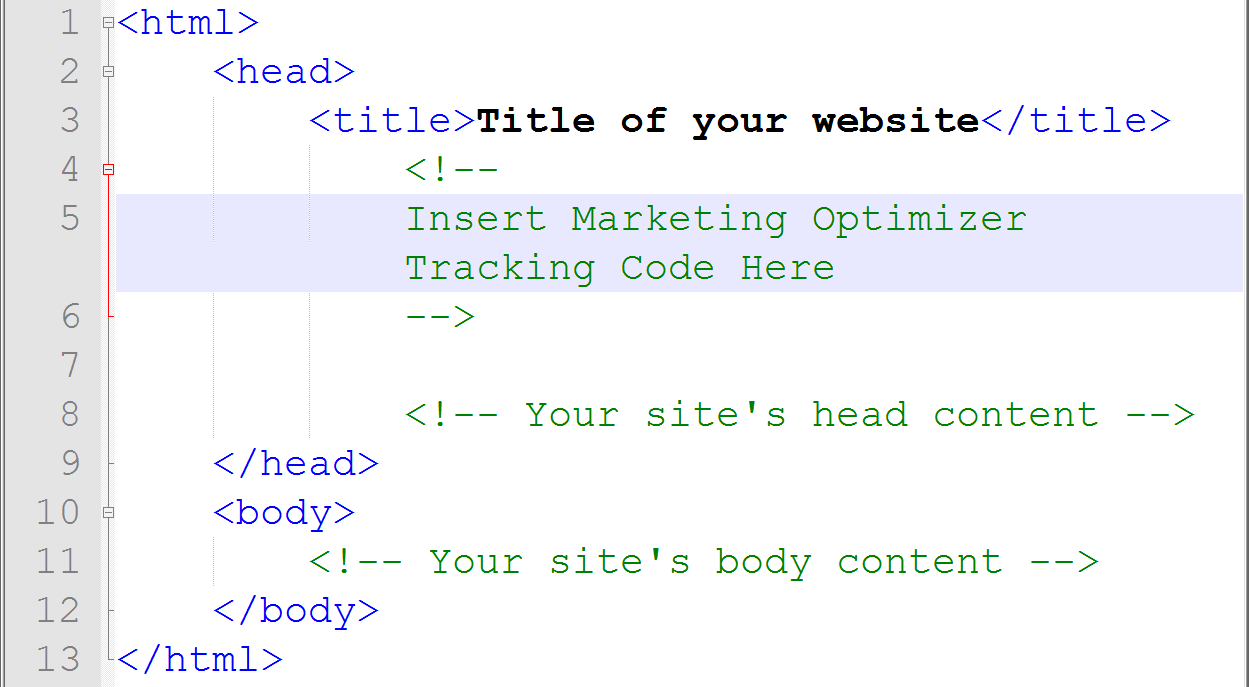
The visitor tracking code is the first step to tracking your web analytics. This is accomplished by adding simple tracking strings to your websites and your conversion pages. Once this is set up you will begin to collect data on your visitors to your websites. You will be able to gather information on keywords used in search engines to find your website, what referring URL sent traffic to your site, what page on your website lead to a conversion and then to a close .

Custom Reporting / Data Mining

View Large Image Of Reports

The Data mining feature for creating custom marketing reports is one of a number of analytical tools for analyzing data. With advanced refinement you can drill your data down based on 32 different possible criteria. This can be used to increase revenue, cuts costs, or both. You can create reports with the following date:

  1. Visitors
  2. Pageviews
  3. Average Pageviews
  4. Conversions
  5. Conversion Percentage
  6. Open
  7. Closed – Won
  8. Closed – Lost
  9. Non-Qual
  10. Open Percentage
  11. Closed – Won Percentage
  12. Closed – Lost Percentage
  13. Non-Qual Percentage
  14. Sales [Close Made During Filtered Date Range]
  15. Revenue [Client Billing]
  16. Revenue [Contact Billing
  17. Revenue [Products]
  18. Revenue [Retail]
  19. Revenue [Default (Sales*Avg Lead Val) *Not Utilized in Revenue Based Calculations]
  20. Revenue [Default (Sales*Avg Sale Val) *Not Utilized in Revenue Based Calculations]
  21. Revenue [Lead Reselling]
  22. Revenue [Total]
  23. Cost [Unit = Visit]
  24. Cost [Unit = Lead]
  25. Cost [Unit = Close]
  26. Cost [Unit = Day, Month, Year, One-time)
  27. Cost [Total]
  28. Cost-per-Acquisition [Cost/Conversions]
  29. Return on Advertising Spent [(Rev-Cost)/Cost]
  30. Profit [(Revenue*Margin)-Cost]
  31. Return on Investment [Profit/Cost]
  32. Event Count

Attach Files to Leads

The file attachment and document management feature, which allows files to be uploaded to the AIMcrm system, acts as a central repository for your important business documents. You never need to wonder if you’re editing the most recent copy or where it’s been saved. When you’re using AIMcrm, your entire workplace shares a single file location. Additionally, files can be attached to each contact in your system. Documents can be created and simply attached to their contact. The document will stay there forever, easily accessible. Need to view the quote you gave to a prospect last May? Just open up the contact, and click to view the quote attached to that lead.

Email Marketing

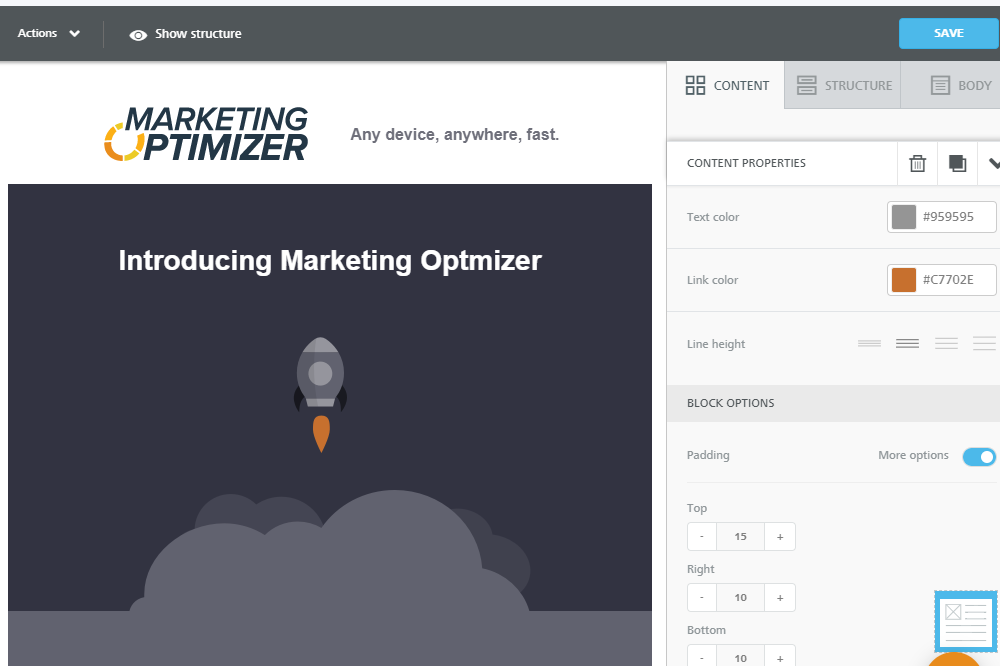
You can effortlessly create email templates that can be sent out to leads in mass, individually, or in automated email campaigns. Create drip email campaigns that maintain top-of-mind recognition and nudge your prospects to make a purchasing action. You can set the system to automatically send out emails without human intervention, or choose from one of your existing templates to send a merged email to your prospect on-demand.

Send Custom Emails or Personalized Email Templates

Create and save customized emails and email templates that you can use for your drip email campaigns. Once created, simply select a lead and then select an email template or drip email automation to send. You no longer have to send mass emails with an email client.

View Large  Customize Leads List Automations
Templates Legends Automations

Create Email Automations

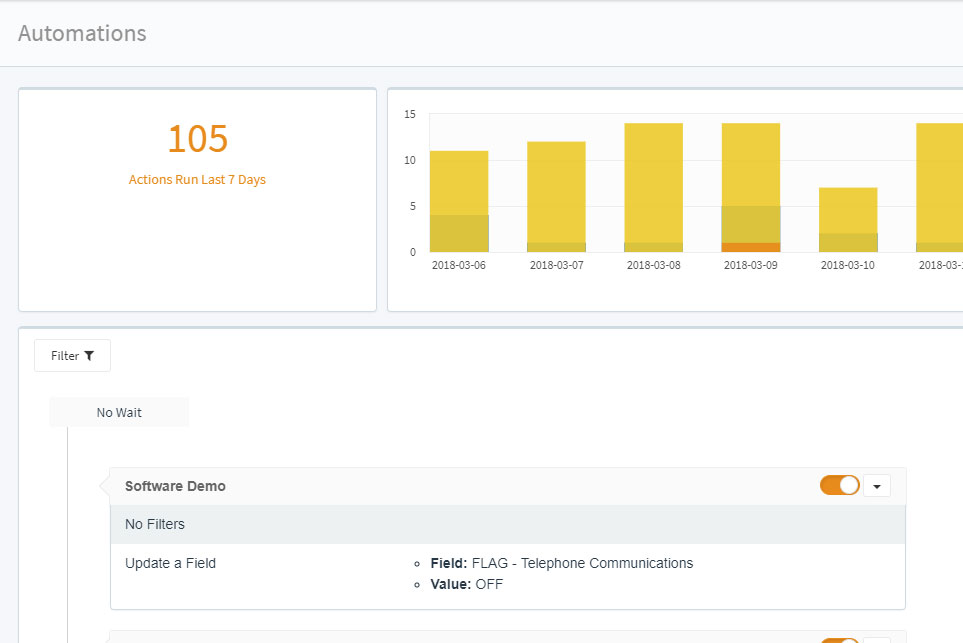
AutomationsOur CRM Email Marketing Software allows you to set up automatic campaigns that send emails based on a time frame. For example: you can set an automation to send and e-mail to new leads such as “Thank you for contacting us ect…”, or “haven’t heard form you about our product ect…” and so on.

Manage Drip Email Campaigns Manually

Manually configure the system to handle drip email campaigns based on your refinements of the leads. The process is simple:

  • Create a prepared message
  • Refine your recipient list
  • Click send

Email External Files

External files can also be sent as email attachments. Whether you’re creating emails manually through the lead detail page, or using AIMcrm’s marketing automation functionality, a specific file can be attached to any email. Simply attach the file to lead or upload it to your file depot, and then choose it as an attachment from a drop down menu. Just click send, and it will automatically be emailed to the lead.

Automate File Attachment

Also, the lead importing system has been engineered to allow the automatic attachment of files to leads upon import. Simply ZIP all your files into a single archive, download the AIMcrm import template and the system will create your leads and automatically attach any number of files to each lead.

Customizable Interface

Control what users can view and create custom links and buttons

  • Create Sidebar Buttons Going to AIMcrm Pages or Outside Content
  • Create Custom Menu Links
  • Create Custom Dashboard Modules.
  • Create Custom RSS Feeds

Campiagn Management

Manage and track your advertising and lead generation campaigns

  • Automatically track Pay-Per-Click and all online advertising.
  • Set up automated email campaigns.
  • Generate telephone campaign tracking numbers

Sales Force Automation

Automate steps of your sales process to sell more efficiently

  • Delegate Leads
  • Send Notifications of Events
  • Send Drip Mail Marketing Campaigns
  • Create Tasks with Reminders
  • Set Statuses
  • Validate Contact Information
  • Update Contact Information
  • Reassign the lead to a user within a group
  • Assign the lead to a specific user
  • Place lead back into unassigned pool
  • Assign the lead to the next user in queue within the lead’s assigned group
  • Assign the lead to the next user in queue within another group
  • Assign the lead to the next user in queue within the next group in the group queue
  • Assign the lead to the next user in queue within your organization
  • Reassign the lead to a group
    • The unassigned group
    • Within a specific group
    • Within the next group in the queue

Sales Team Management

Manage and monitor all your sales team’s activity

  • Timestamped Logs of User activity
  • Take Complete Control Over User Access Rights
  • Admin Log In as Any User

CRM and Lead Reselling

Resell leads and offer your clients a CRM account as added value

  • Set up Automated Lead Delivery
  • Bill Clients Directly Through the System
  • Moderate Refunds
  • Resell the CRM software
  • Mark Up User Fees
  • Deliver the lead to a specific client
  • Deliver the lead to all clients
  • Deliver the lead to all clients within a specific group
  • Deliver the lead to next client in queue within a specific group
  • Deliver the lead to next client in queue within your organization

Security & Compliance

During this time when theft of personal information can have disastrous consequences, we realize the importance of protecting all data. Using the highest standards for those industries that are most vulnerable to the theft of personal information (health care, financial, etc.), we’ve aligned ourselves with others who provide the strongest security possible. Your data is secure behind many levels of security, physically as well as on the web.

  • HIPAA/GLBA Compliant
    • AIMcrm is compliant with all security standards for data transfer for both the Health Information Portability and Accountability Act and the Gramm-Leach-Bliley Act.
  • AES Encryption (SSL)
    • The transfer of all your data is secured by 128 bit AES Encryption by a Secure Socket Layer.
  • IP Restriction
    • Restrict access to the CRM system by specifying which IP addresses can log in to the system.

In-House Support 24/7 Forever Included

Friendly, in-house tech support is available to you 24 hours a day, 7 days a week for the life of your account. We pride ourselves on the relationships we build with our clients. This support will always be there for you, but what usually happens is that eventually we stop hearing from our clients. We suspect it’s because, like small birds, they’ve learned to use AIMcrm and now they’re flying independently, managing a successful, profitable business.

At AIMcrm, we look at the relationships with our clients as mutually beneficial partnerships in which both parties are committed to the success of the other. If you don’t succeed, we don’t succeed. This means the expertise within our company is available to you as part of your contract with AIMcrm.

  • One-on-One Training
    • The support team of AIMcrm offers complete training for you and all your users.
  • Website Integration
    • You are not on your in integrating your website with the CRM. AIMcrm is with you every step of the way.
  • Email Support
    • Mail Support is available 24 hours a day, 7 days a week
  • Trouble Tickets
    • Submit trouble tickets to track and keep a thread of all support issues.
  • Telephone Support
    • Speak to a real live human being for phone support 24 hours a day.

Top 10 reasons why you should use a web-based CRM software

  1. Transparency across the entire business, no matter small or big operation
  2. Avoid duplicated data entries, and save precious time for more creative stuff
  3. Productivity and collaboration on top of accurate performance measurement and trends analysis
  4. With full access to customer contact histories (notes and events), the sales team will be much more focus and provide higher quality services
  5. Management is all about managing exceptions, and which can be prevented with early precise decisions
  6. beneficial from critical operational data
  7. Substantial cost reductions, and more competitive pricing
  8. Real-time data updates enables all the staff to have a better understanding of what’s happening in the business right now, no matter the team members are in the same building or from different countries
  9. Marketing process becomes smooth and pleasant. Think it this way, you and your targeted clients are literally a few clicks away
  10. Absolutely no need to worry about data backup and computer crash
    Manage your business online is just the future. If you don’t make the move now, you will be behind your competitors

Top 10 reasons why you should use a web-based CRM software

SCHEDULE A DEMO First Last Phone E-Mail Call Sales